When I first start up my new PC, the CPU LED lights up red.
There doesn’t seem to be a problem with the RAM—the pins on the motherboard aren’t bent. I just built my new PC with an RX 9070 XT, a 9800X3D, and an AORUS ELITE WIFI7 ICE B850 (Rev. 1.1), and on the first boot, I got the red CPU light.
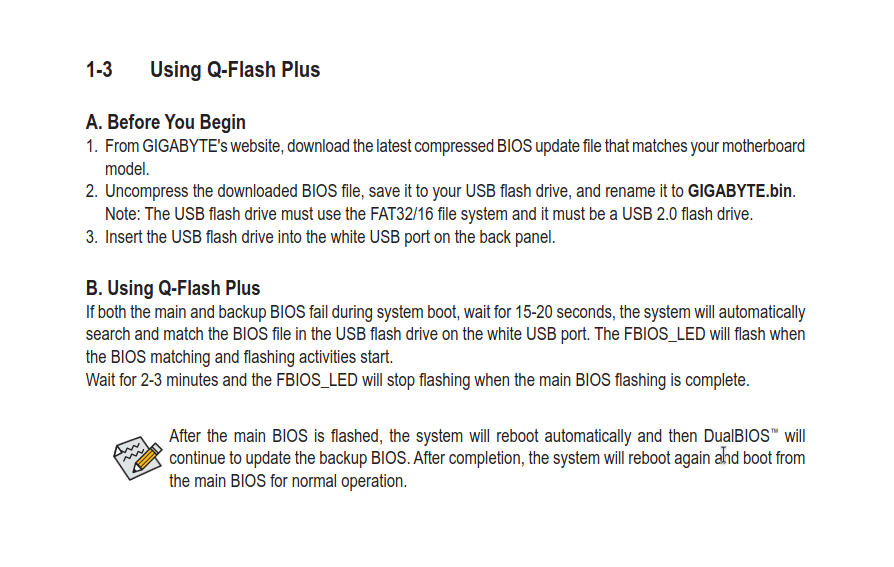
I tried running QFlash and updating the BIOS, but I don’t think it worked completely—I mean, the light beeps, then there’s an RGB flash, and the PC keeps running without the BIOS light but with the red CPU light.
When I installed my Ryzen 9 9900X (after using a 6-core 8000 series processor to start with), upon first boot it failed to POST with the CPU light on, and I hit the reset button on the case and it booted fine the second time with no problems since.
That is not very helpful for you, but it would seem you have a bad CPU (maybe you hit it with an Electro-static Discharge upon install, or it was just bad from the factory) or have a motherboard issue. I think engaging GIGABYTE support is a good decision.
I hope things go well for you. You might want to consider returning the motherboard and CPU before your return window expires, if GIGABYTE support can’t help.
It’s likely a problem with a BIOS version that doesn’t recognize your 9800X3D. You might need to install another CPU (maybe a 7000 series AM5 CPU) to then update the BIOS to a version that will support the 9800X3D. Now if your motherboard supports BIOS updates without a CPU, you should be able to get this done. I think this is what you tried but it didn’t complete. Try the BIOS update again.
When you did the update the PC was off correct? You need the pc powered completely off then you need to make sure the USB is in the right format and the file is named properly, at least on my Asus board, then press the qflash button until it starts and the light on the rear IO should flash until it is finished. After that you should be able to get into BIOS and adjust what you want and install the OS. The B850 boards could be different but I know with my B650E I had to flash BIOS using the button on the rear before my 7800X3D worked.
From what I can find, the motherboard the poster is using was introduced in January of 2025 and the 9800X3D was introduced in November of 2024, so I would seriously doubt that the board would not boot with a 9800X3D even at launch, much less if the board was purchased recently. I hope I am wrong, as getting the BIOS flashed shouldn’t be too hard to do, but I suspect this wouldn’t improve the poster’s situation.
Hello! It sounds like a classic BIOS version compatibility issue. Since you are using a Ryzen 7 9800X3D on a B850 motherboard, if the board shipped with an older BIOS version, it won’t recognize the CPU out of the box, which triggers the red CPU debug light.
When you tried using Q-Flash Plus, the behavior you described (beeps, an RGB flash, and the board staying powered on with the CPU light still red) usually means the BIOS flashing process didn’t complete successfully or got interrupted.
Thanks for the detail. One more check is the 8 pin CPU power cable at the top of the board. Make sure it is fully seated on both ends. If that does not help, try one memory stick in the second slot and clear the CMOS. That can rule out a simple seating or memory issue before you return parts.